
 中文
中文 
deepin is a Linux distribution devoted to providing beautiful, easy to use, safe and reliable system for global users.
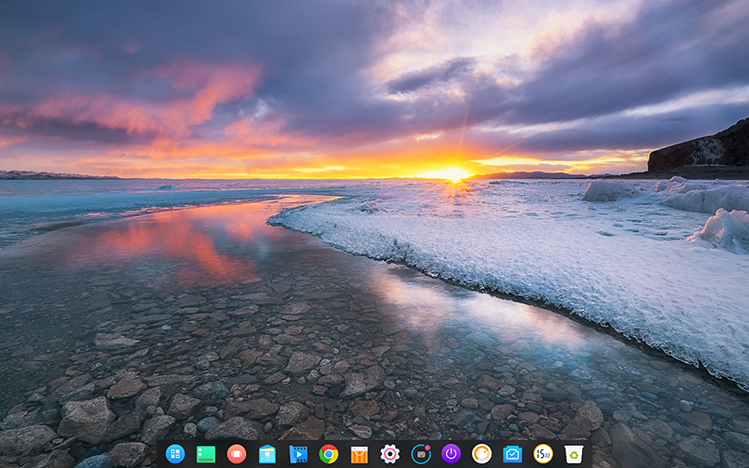
deepin 15.4 has brand new design for Control Center and desktop, it adopted new blur and transparent style, new interactions for hot corner and window manager along with selective wallpapers, fullscreen installation interface, latest stable kernel version and Deepin original applications. It added Traditional Chinese (Hong Kong) and Amharic language support.
Brand New Design and Good-Looking
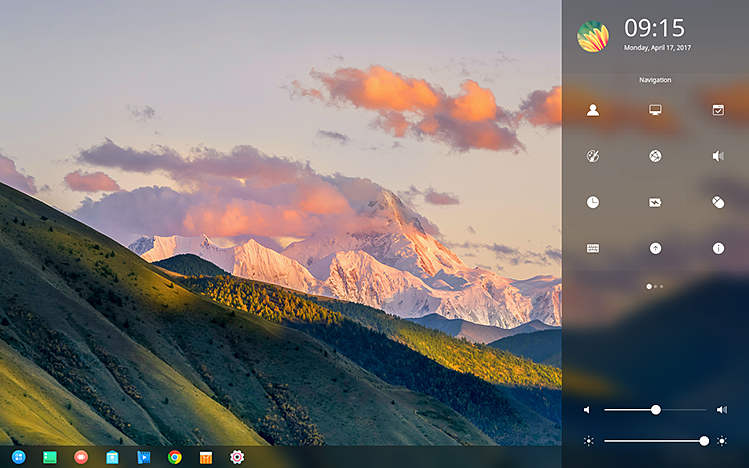
The Control Center has brand new design and interactions, the homepage shows quick access icons for common settings to make the operation easier and quickly; The weather and notifications will show by plugins, and you can participate more about the customization by the coming soon plugin interfaces.
Smart Installer with Smooth Experience
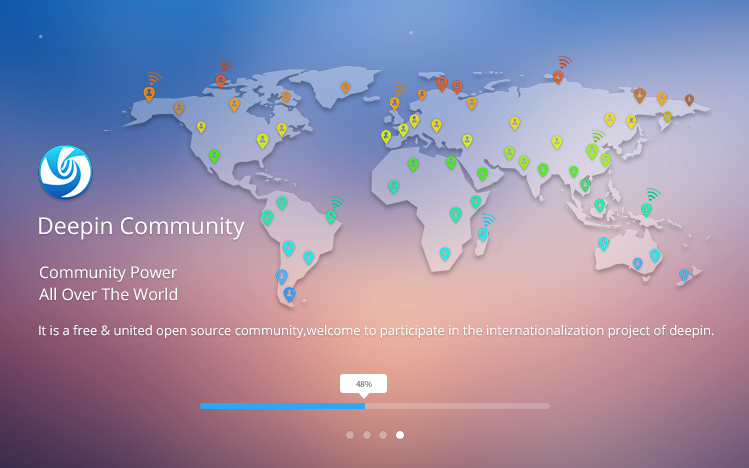
The new design installer has fullscreen interface, fuzzy background, smart detection, friendly reminder and Scan QR code to feedback features to let you enjoy the installation process, you can experience the incredible pleasure of deepin after the time for just a cup of coffee.
Kernel Update Makes Compatible Better
The new 4.9.8 version of Linux kernel has better drivers for more hardwares, and it can improve the stability and compatibility of the system; And it can support more and more devices;

Redraw the Symbol Fonts to Say Goodbye for Popup Hints
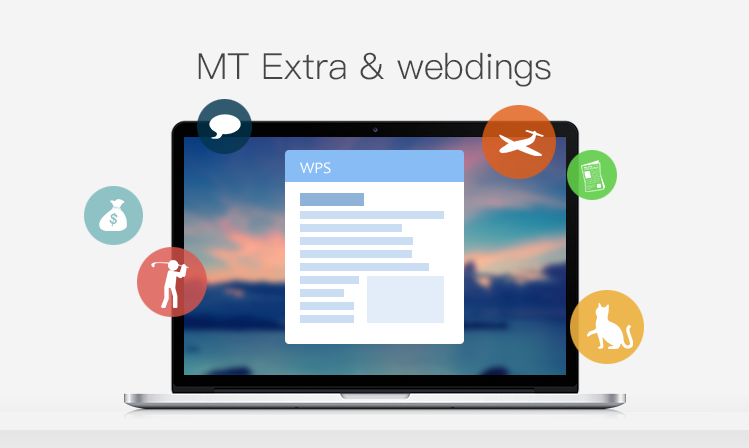
We have redrawn and integrated MT Extra and webdings symbol fonts in system, and you won't worrying about the popup hints for fonts in WPS.
Decorated Window Manager and Gestures for Touchpad
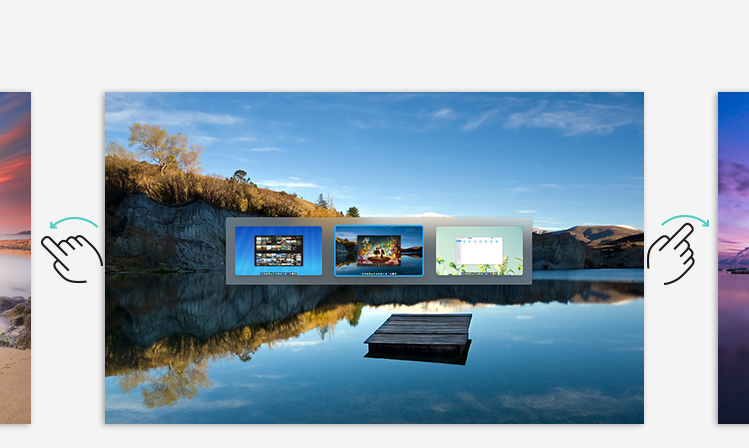
The interaction effects for window manager has been optimized and now you can set different wallpaper for every workspace. And the system has supported multi-touch gestures for touchpad, you can enjoy using the touchpad and forget about your mouse.
Optimized Hot Corner and Elegant Wallpapers
The desktop hot corners now has brand new interaction experience and added animation guide for demostration to let you avoid the touch by mistake; The new selected wallpapers can let you enjoy the beautiful world around us.
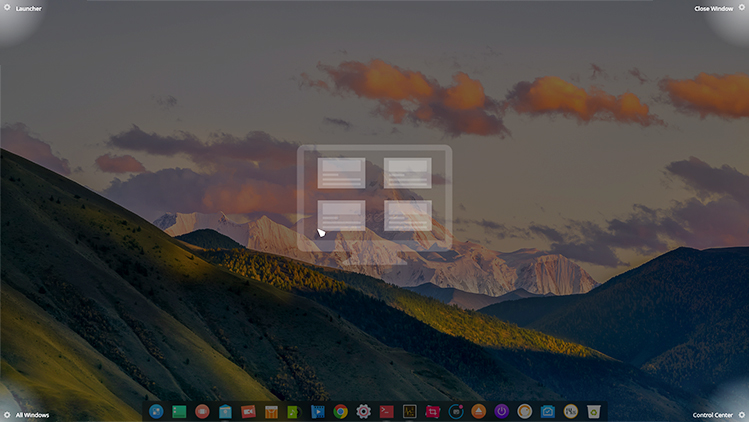
Here are the details of optimization:
Dock
- Added function for switching 12hr/24hr time;
- Optimized UI details for dock (added blur effects for both menus and tooltips background);
- Optimized icon display to solve the blurred icon problem;
- Fixed that sometimes icon can be missing;
- Fixed that it can be crashed while adjusting the volume;
Control Center
- New ground glass and list design;
- Added weather forecast and notification center;
- Added experimental Remote Screen Projection function;
- Added quick access at homepage (sound, brightness, network, Bluetooth and projection, etc.);
- Added switch for remembering the status of NumLock;
- Added icon and cursor themes;
- Fixed the issues that current window will lose focus when pressed CapsLock key;
- Optimized that the keyboard layout can be switched by shortcut keys;
- Optimized loading speed and memory usage;
- Optimized config options for multi-screens to solve the interaction logic for this situation;
- Optimized timezone choosing logic to solve DST related problems;
Desktop
- Refactor the desktop to solve the logic problem for desktop operations;
- Optimized interactions for desktop hot corners;
- Fixed issues that the wallpaper thumbnails probably not match the actual set wallpaper;
- Fixed that the desktop icons will be covered by dock at switching position in smart hide mode;
- Fixed that the desktop folders and apps cannot be open with Enter key;
Launcher
- Optimized display effects of icons;
- Optimized fonts to adjust automatically by system fonts;
- Optimized UI and interaction;
Window Manager
- Added showing different wallpapers for default workspaces;
- Added guide for switching the workspaces to make it more convenient to switch workspace;
- Added ground glass effect support for window background;
- Optimized UI details and make interactions smoothly;
- Fixed bugs on switching workspaces;
Other
- Preinstalled Deepin Screen Recorder;
- Preinstalled Deepin Voice Recorder;
- Preinstalled Source Han Serif fonts;
- Preinstalled Foxit Reader(for English environment);
- Preinstalled new XServer and drivers;
- Preinstalled QQ 8.9 on CrossOver 16;
- Unified interface style for login screen, lock screen and system;
- Fixed the issue that Steam cannot update;
- Fixed the issue that netcard like bcm4322 cannot work;
Easy to Get and Install
You can experience the unlimited charming brought by deepin in just a cup of tea time.
Please download ISO image of deepin, view video tutorial and install deepin by Deepin Boot Maker to install it to your computer conveniently.
Official Download Point:
64bit: Click Here to Download (MD5 checksum)
Notice: deepin 15.4 will not provide 32-bit non-commercial ISO image download for community. If you need to get commercial support for 32-bit edition, please send email to tech@deepin.com to get paid commercial support.
Other Download Point (Syncing):
Baidu Cloud Disk, Sourceforge, MEGA, Google Drive, Community ISO Repository
Hint: deepin 15.3 users can update to the latest edition through "Control Center > System Information".
Advocate Freedom and Share Happiness
deepin is an open source desktop system developed for common users. You are free to download, distribute, modify and use it.
Detailed address is GitHub: https://github.com/linuxdeepin
Welcome to follow us on Weibo, Twitter and Facebook to acquire latest update in the first time. You are also welcomed to join our forum to communicate and share your joy with us.
At last, we solemnly thank those community teams and companies who have provided testing, documentation, translation and mirroring support. You have made open source better with the selfless contribution!

最近才由ubuntu转到深度,差点惊呆了,这才是人用的系统好不。配置ubuntu到人能用,基本上要死人。没想到深度居然连wps、qq、搜狗输入法都集成了,更何况,汉字很漂亮有没有。
谢谢支持。
nice!!!!
输入命令升级的 重启后 屏幕上方有一道花屏
不能进去系统?回退到4.4内核看看
想问一下,只有一个盘没有其它分区,能共存win10双系统吗?只有一个盘没分区。
估计会覆盖,问问大神先。
如果硬盘只有一个分区的话, 那只能使用 wubi 安装了
先支持。。。再下载。。。。
hi,15.4版本相比15.3完善了很多!之前没等15.4回到openSUSE,比较喜欢deepin自己做的软件适合本土,方便使用。deepin不用折腾桌面系统什么的,要节省很多时间,折腾openSUSE要花两天的时间!deepin有滚动版吗?有必要做一个
类似YaST的系统管理工具吧?除去外观,更重要的还是内在!希望deepin越做越好,我是不是要装回deepin了呢?
强烈要求更新内核到4.9.10以上,这样就可以支持AMD最新的Ryzen了
已经内网打包,需要测试后才能推送,需要等等
我也在等,我大锐龙需要深度加持。
什么都很好,就是更新太慢了,急人
今天更新的,非常棒,希望深度越来越好.
请问有没有像安卓MIUI那样联网防火墙,我觉得这个功能非常实用,能内置个开关就好了,不用安装那么多的程序,比如防火墙。
正在更新中,一共800M 希望能解决我任务栏图标丢失问题
更新后就知道答案了
现在来说,deepin的通知栏是让我保持在Ubuntu的最大原因...
15.4RC2怎么更新到这个正式版?
直接更新就可以
8G内存还是容易超,怎么不重新安装系统的情况下增加swap?
现在安装会根据硬件自动创建swapfile
15.3升级上来的能建swap吗?现在8G内存跑跑程序就挂了。
今天利用U盘安装了15.4.从商店下载安装了几个游戏安卓版,全都不能打开。这是怎么回事呢?除此之外,系统体验非常棒!本机的主要配置:APU a8-7650k, 8G RAM。
chrome 浏览器里面 打开硬件加速试试
试了你提供的方法,不奏效。我看到,商店一些安卓版软件的评论区也有其他人跟我类似情况的反馈评论。
本来是打算丢掉ubuntu换成deepin的,但是deepin的源太慢了,联通20M宽带,下载只有40K,其它的镜像源更慢。希望可以像ubuntu那样,中国镜像下载随便500K以上。
换其他源也是这样?
我的64位和32位Deepin都升级好了,目前没发现异常问题。希望以后用镜像安装Deepin系统把引导安装到Deepin系统分区重启时,不会再出现进不了任何系统的情况。
一个更新,很好看,目前没有发现任何异常
发版咯,特来祝贺。
之前一直是体验安装,准备安装到分区了
15.3升上来发现眼前一亮,不过热区没有以前好用了,不太灵敏
热区的交互方式变了
I'm having problems after updating with wireless!
Realtek RTL8188CE Wireless LAN 802.11n PCI-E NIC
Where do I find the deepin kernel for download?
I would like to continue using the present version in deepin 15.03, before I had updated through the terminal and the system presented the same problem however when using the kernel of deepin 15.03 the network card worked normally.
Unfortunately I found it to be problems due to having done the update through the terminal and then I installed the full ISO of 15.04 and now I do not have the option of accessing the old kernel.
sudo deepin-feedback-cli upload the log
Thanks, I was able to send the report through Windows due to lack of network access.
Incrível! A melhor distro Linux atualmente. Uma interface gráfica totalmente funcional e um acabamento espetacular.
我安装完重启就黑屏了,15.3也是一样
麻烦反馈下硬件信息,是不是6 代cpu
反馈下, 大小写切换 屏幕中间弹出的那个显示当前大小写的方块,颜色太深 后看到后面的字体了
U盘挂载的图标不正常,显示一个黑色的方块。
这个问题已知了
不能自定义头像
cool 0.0 666
桌面默认软件图标感觉比较大,能不能调小的,请问在哪里能找到调节桌面软件图标大小?
ctrl+滚轮 试试
nice!
非常感谢楼主的分享!谢谢
正在更新,希望别炸。
越来越易用和美观,很优秀的系统。
反馈一些遇到的问题:
steam老是更新了一半就失败,不知是我网络问题还是系统问题,虽然本人不玩steam游戏
深度视频播放器播放一段时间后老自己挂了
添加到深度音乐播放器的音乐文件(存放于win分区),每次重新进入系统打开播放器后都会提示文件找不到
深度影院在重写中, 深度音乐需要挂载win磁盘后才能
我想问一下,我用的Windows平板,请问可不可以将这个系统直接安装在U盘里,然后等插上U盘了在BIOS里选择深度操作系统启动进入,如果可以的话,请大神给个教程。 还有平板安装的话,触屏可不可以用,各种驱动都有没有,谢谢。
win平板秘钥做单独的适配,可能存在触摸板 驱动问题
那现在有适配平板吗
暂时没有,还是专注pc端
还有,可不可以将系统安装在U盘里
可以 引导选择u盘 估计体验不是很好
怎么玩魔兽争霸3和英雄联盟
浩方对战平台可以用吗
现在win下面的游戏可能不能玩,可以试试steam平台
把笔记本合上 然后再打开就是卡屏了 鼠标能动 其他都卡死 不知道有没有解决方案,然后我是联想本 做系统之前选择的是保护电池模式只能充到百分之50 ,不能充满 不知道能不能把充电电亮调到百分之百,求解决方案!
提供下休眠前后的日志
You should be given the option to change the format of the deepin calendar because in some countries the week starts on Monday.
新版抛弃32位版本,我的CPU就不支持了。而且有很多用户都仔也不能使用DEEPIN的新系统了。强烈希望回归32位版本。
只是不提供iso,但是更新可以升级到最新。
壁纸知道切换能实现吗?
壁纸自动切换!
暂时系统没有实现
我觉得这个操作系统才市具有个人终端潜力的,其他的什么麒麟之类的,都是和windows差不多的界面和格局,没有多大个性的东西。虽然说这个有点像macos但是,总体而言还是很有观感上的创新的。在市场上推广最重要的其实还是观感和质感。当然系统运行中的流畅度以及其他方面也是很重要的。第一感受还是存在于观感上的,第二感受是质感。
支持,已经可以代替windows作为日常使用。
Awesome)
从上一个版本更新成功!非常 的棒,很是喜欢!
好东东,支持国人系统
系统已经很棒了,现在就是缺乏生态,国内的软件要是能适配上,目前 旺旺和QQ都不是很完美,常用软件要是搞好了,软件安装简单些,一切皆有可能
1. Incorrect switching input language. 15.3 it was done quickly and when I had any discomfort. Now it just became unbearable.
2. Menu besides that is drawn badly. This in itself is not effective. Mixed all in a heap. The most obvious changes and most uncomfortable.
Return from menu 15.3
用电脑的更多还是办公,另外很多人用 linux 对系统的定制要求更高,如果能够将“平铺式窗口管理” 集成在里面那就更好了。
每次到安装grub的时候就提示安装失败
什么硬件配置,uefi还是mbr 去社区反馈下详细的
怎么无线网络不能连接
麻烦去社区反馈下网卡型号和feedback日志。https://bbs.deepin.org/forum.php?mod=viewthread&tid=138484&extra=
想评论一下还真不容易,这评论都已经这么多了,也不做个分页,还好我会用G快捷键,否则要累屎键盘党哇,开个玩笑,希望深度系统越来越好。
wp自带
Deepin : Impressive, logical, beautiful, and on its way to perfection.
Deepin engineers, developers, coders, thank you for making Linux beautiful, more usable, and innovative.
Your ingenuity is being noticed all over the glove.
Thank you for rescuing me from my self-imposed asylum from a drab Linux experience.