
 中文
中文 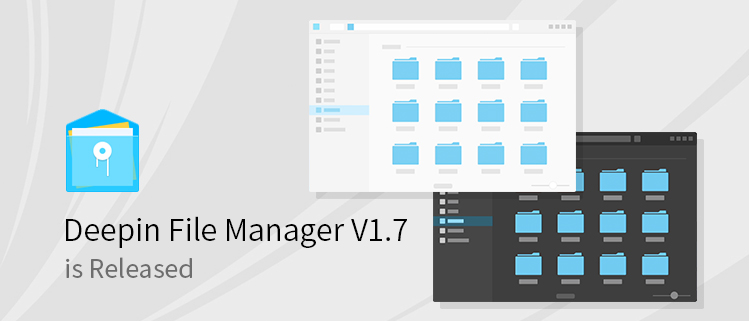
Deepin File Manager V1.7 is a revision, which not only added some features, but also optimized the details and fixed bugs from user feedback.
New features:
- Supported adding tag to file/folder;
- Supported pressing Ctrl+Z to undo last operations;
- Supported switching between light and dark theme;
- Supported video preview;
Optimization:
- Optimized the interaction details, fixed the issue that the full file name cannot be seen in a small Deepin File Manager window;
- Optimized the interface details;
Bugs Fixed:
- Fixed the issue that when there were many search results (had to scroll to display all), press Ctrl +A to delete all of them, but some results still exist.
- Fixed the issue that "Restore Defaults" in Settings did not work for some options;
- Fixed the issue that File Manager may crash after clicking "Cancel" in copying process and then deleting the new copied file;
- Fixed the issue that the tabs cannot be switched reversely by pressing Ctrl+Shift+Tab;
- Fixed the issue that the folder in search result cannot be set to share this folder;
- Fixed the issue that the picture in search result cannot be set as wallpaper;
- Fixed the issue that the tabs cannot be switched between Computer tab and other tabs;
- Fixed the issue that the tab name is empty when opening a folder in new tab in Computer window;
- Fixed the issue that all items in left navigation panel were selected when clicking in the below blank area;
- Fixed the issue that the partition name changed when using Gparted;
- Fixed the issue that File Manager did not refresh when copying files to smb directory;
- Fixed other bugs from user feedback.
Welcome to use Deepin File Manager V1.7 by updating your system or downloading it in Deepin Store.
可以啊,终于看见大更新了,加油!
You can add the ability to change the permissions in the folder properties (and make the file hidden by putting the checkbox in properties).
P.S. On the lock screen, you can not switch the layout language using the key combination
没人吗、、
I updated the system, but the new version did not come, nor is it in the Deepin Store, what happens?
Just not the version number.
My suggestions for improving the distribution. Part#2:
Add:
1. The ability to call search on the desktop. You can add the ability to run the Spotligt (system-wide desktop serach) on the desktop "Alt + Space" combination key.
2. Add search in Spotlight on the desktop.
3. Add an equalizer to Deepin Music.
4. Add additional settings for people with disabilities (High Contrast, Large text, Screen keyboard, Screen Reader, Visual Alerts).
5. Add in the future a multilanguage voice assistant working on Artificial Intelligence
6. Add the option of manual white balance in the mode of Eye Protection (using the slider).
7. Add to Deepin Maneger the ability to view metadata files.
8. Add interaction with Android devices and exchange notifications by means of GSConnect (https://github.com/andyholmes/gnome-shell-extension-gsconnect/wiki).
Fix:
1. When you switch from Windows to Linux, the time in the OS and the BIOS.
2. Optimize the photostream in the Deepin Image Veever application. The previews of the photos are enlarged in original quality, and this application is too slow and lagging.
need apk file thumbnail preview , its very important to todays life
need audio file thumbnail (album art) and nautils scripts alike sento and more
记住samba密码后,如何清除密码?