
 中文
中文 
Deepin Font Installer V1.0 is released! A new member comes to Deepin Family!
Deepin Font Installer is a tool to install and uninstall font files with simplified operations, supports bulk install, font information display, font preview and other functions, allowing you to easily use your favorite fonts.
Clean interface, one-click install
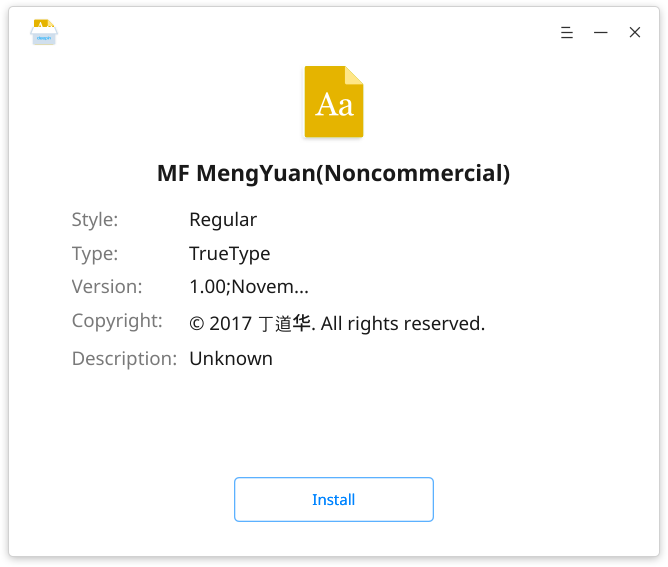
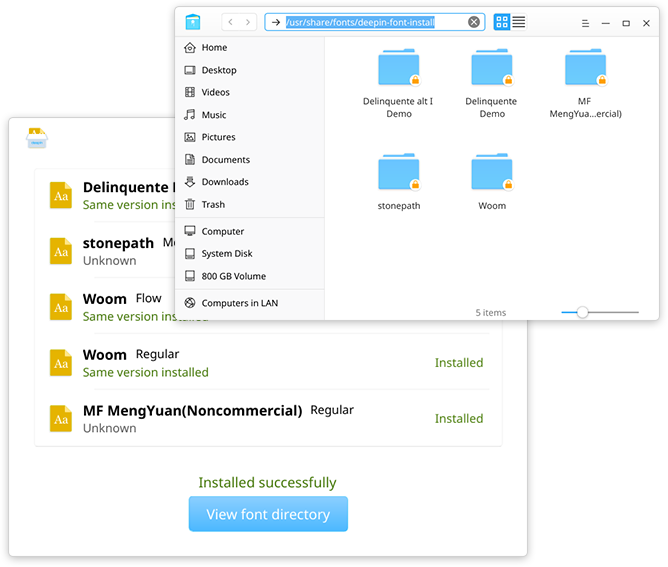
The interface is simple and clean, and very intuitively shows font information, such as style, type, version, copyright, and description. Just click Install button to complete font installation.
Status detection, smart reminder
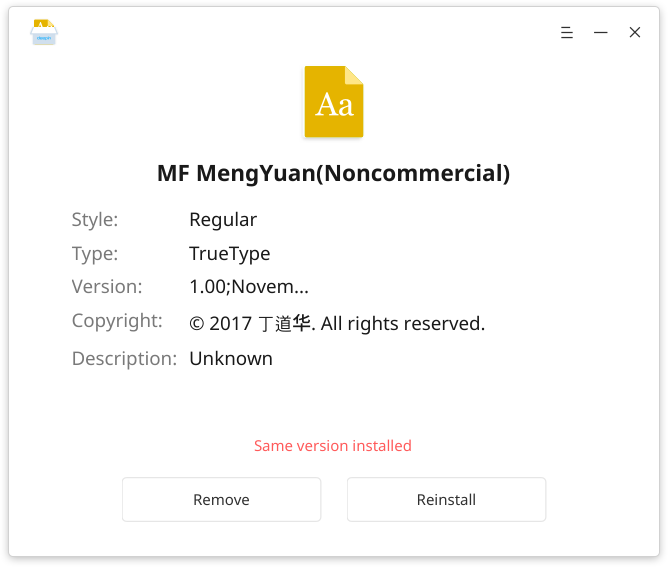
The current installation status of the font is automatically detected and shown on the interface, such as “Installed successfully”, “Same version installed”, “Removed successfully”, etc.
Bulk install, list display
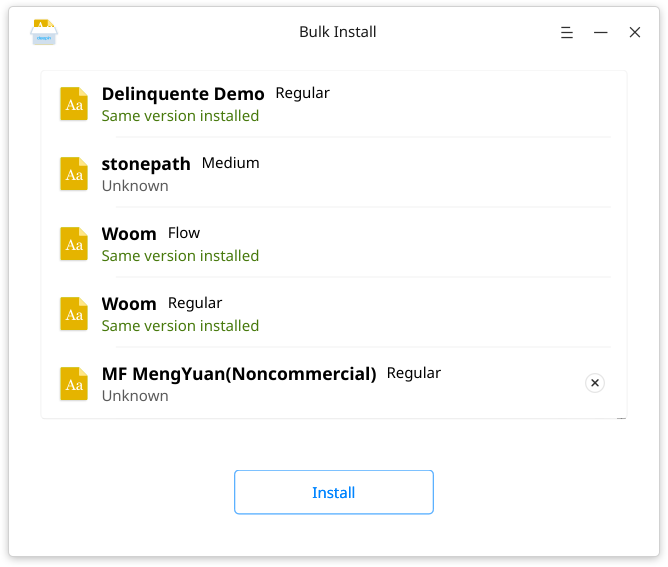
Multiple font files are shown as a list and bulk installed by sequence, with the installation status displayed.
Font directory at one click
Want to check all your font libraries? Click on View font directory to see all your fonts in Deepin File Manager.
Welcome to download Deepin Font Installer V1.0 from Deepin Store.
字体是全局安装吗?如果不是,或者是,可以在是或者不是切换吗?
安装后,可以在控制中心进行选择。不太清楚你说得全局是什么意思。
他的意思就是除了图形界面意外其他的,或者包括应用程序里的字体
字体安装分安装到系统目录和用户目录两种情况,举例来说,一般安装到 /usr/share/fonts 目录就算是安装到系统目录,这种情况安装的字体对所有用户都可见,但是安装时需要 root 权限。
还有就是将字体安装到用户目录,比如 ~/.local/share/fonts ,这种情况安装的字体只对当前用户可见,但是安装时不需要 root 权限。
版权 丁道华亮了
字体怎么弄才能不模糊,,,,只要把字体搞好,bug处理好,自然慢慢软件库会丰富出来,才会有人使用啊。。。。
我主要是觉得字体体验是在太差,也许这就是Linux的通病吧,并不像微软苹果一样那么好。。。。